
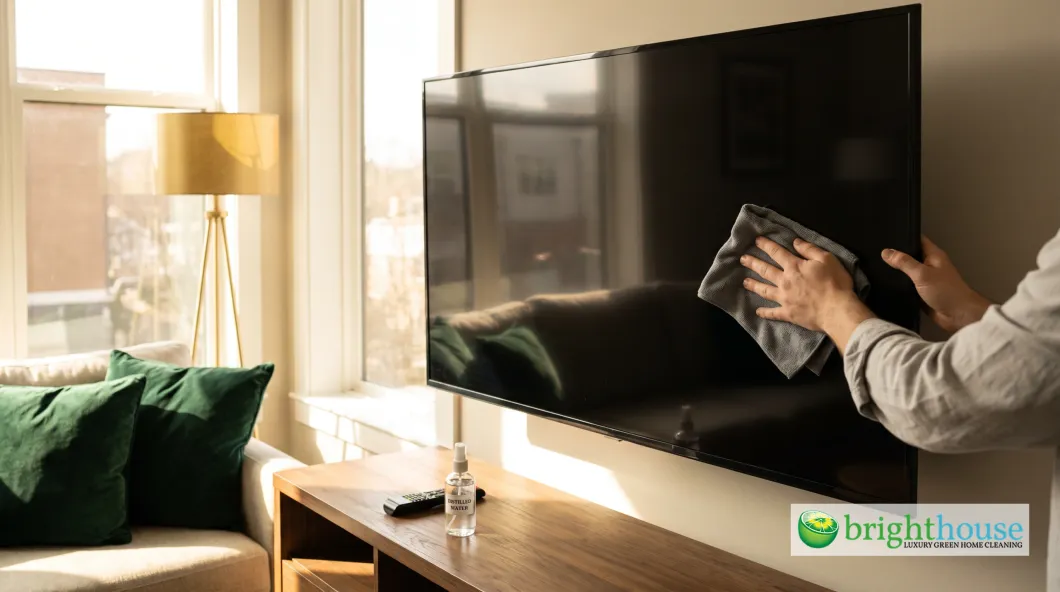
A smudged TV is one of those things you stop seeing until the screen goes dark. Then the fingerprints, the dust and the mystery streak from a toddler’s snack all show up at once, lit by the lamp behind you.
Here is the problem: the instinct most people have is the wrong one. They grab the glass cleaner and a paper towel, spray the screen and scrub. That combination can strip the coating on a modern TV, leave permanent cloudy patches and even push liquid behind the panel. This guide walks you through how to clean a TV screen the way TV makers actually recommend, starting dry and adding moisture only when you need it. Then we will clean the remote, which is almost always the dirtiest thing in the room.
The Quick Answer: Start Dry, Add Water Only to the Cloth
- Turn it off and unplug it. A dark screen shows every smudge, and a cool screen will not dry streaky.
- Wipe with a dry microfiber cloth. Use light pressure and sweep in one direction. Dust comes off this way most of the time.
- Still smudged? Dampen the cloth, not the screen. Mist a little distilled water onto the microfiber until it feels barely damp.
- Wipe in small circles. Work across the screen in sections without pressing hard.
- Buff dry with a second cloth. This is the step that prevents streaks.
- Wait before you plug it back in. Give the screen a few minutes to dry completely.
That is it. No glass cleaner, no paper towels, no spray bottle aimed at the panel.
Why Window Cleaner and Paper Towels Damage TV Screens
Most TV screens today are not bare glass. They are layered panels with thin anti-glare and anti-reflective coatings on top. Those coatings are what make the picture look rich in a bright room, and they are surprisingly fragile.
Samsung’s support pages warn against window cleaner, soap, scouring powder, wax and any cleaner with solvents like alcohol, benzene, ammonia or acetone. Ammonia is the main ingredient in many glass cleaners, so the bottle under your sink is exactly the one to avoid. Over time those chemicals eat into the coating and leave hazy, uneven patches that no amount of wiping will fix.
Paper towels cause a different kind of damage. They feel soft, but they are made of wood fiber, and they leave lint and fine scratches. Dish towels and old T-shirts can carry grit from the laundry. Microfiber is the right tool because its tiny fibers grab dust and oil instead of pushing it around.
Spraying the screen directly is the third mistake. Liquid runs down to the bottom edge and can seep behind the panel, where it can damage the electronics or leave a permanent line across the picture.

How to Clean a Flat Screen TV Step by Step
Before you start, grab two clean microfiber cloths and a small spray bottle of distilled water. Distilled matters. Tap water carries minerals that dry into faint spots, which is a big reason people end up with a streaky screen.
Dust and Light Smudges
Turn the TV off and unplug it. Fold a dry microfiber cloth into quarters so you have eight clean faces to work with. Starting at the top, wipe across the screen in long, light strokes, moving down as you go. Flip the cloth to a fresh side whenever it looks gray. Finish by wiping the frame, the stand and the top edge, where dust collects and falls onto the screen later.
How to Clean Fingerprints Off a Flat Screen TV
Handprints and fingerprints are skin oil, and oil needs a little moisture to lift. Mist distilled water onto your cloth two or three times, then squeeze it so it is barely damp. Wipe the smudged area in small, gentle circles. Follow right away with your dry cloth to buff it clear. If a print is still there, repeat the damp and dry steps instead of pressing harder. Pressing can damage the pixels on some panels.
How to Clean a TV Screen Without Streaks
Streaks almost always come from one of four things: tap water, too much water, a dirty cloth, or skipping the dry buff. Fix those and the streaks disappear. It also helps to clean in a dim room with the screen off so you can see what you are doing, then check your work with a flashlight held at an angle.
Crayon, Sticky Snacks and Other Kid Messes
Sticky juice and food usually come off if you hold a damp microfiber cloth against the spot for about ten seconds to soften it, then wipe gently. Crayon is wax, so start with a dry cloth to lift what you can. Follow with a barely damp cloth. If a mark will not budge, stop there and check your TV’s manual or call the maker’s support line. Scraping or reaching for a solvent is how a five-minute fix becomes a cracked or clouded panel.
Cleaning Different TV Types
The basic method works for nearly every TV, but a few screen types need extra care.
| Screen Type | What Makes It Different | Best Approach |
|---|---|---|
| LED and LCD (most TVs) | Soft, coated panel that can dent under pressure | Dry microfiber first, then a barely damp cloth, light pressure |
| OLED (LG, Sony and others) | Very thin panel, sensitive to pressure | Dry cloth only for routine dusting, never press or push |
| QLED | Coated LED panel | Same as LED, distilled water on the cloth only |
| Plasma (older TVs) | Glass front, often with an anti-glare coating | Same gentle method; glass is tougher, but the coating is not |
| Matte screens, like Samsung The Frame | Anti-reflection finish that shows shiny spots if rubbed | Dry cloth, very light pressure, minimal moisture |
Always check your model’s manual. Some makers sell or approve a specific screen cleaning solution.
How to Clean a Plasma TV Screen
Plasma TVs stopped being made years ago, but plenty still work in basements and bedrooms. Their screens are glass, which makes them less likely to dent than an LCD. Many plasma screens still carry an anti-glare coating, though, so treat them the same way: power off, let the screen cool fully since plasmas run warm, dust with a dry microfiber and use a barely damp cloth with distilled water for smudges. Skip glass cleaner here too.
How to Clean an LG OLED or Other OLED TV
OLED panels are thin and can be damaged by pressure. For everyday care, a dry microfiber cloth is all you need. Hold the top of the TV steady with one hand and let the cloth glide with almost no weight behind it. If you must remove a smudge, use the lightest touch of distilled water on the cloth and dry it right away.
Big Screens and Wall-Mounted TVs
A 75-inch screen is a lot of surface. Work in sections, roughly a quarter of the screen at a time, so the damp area never dries before you buff it. Use a sturdy step stool rather than stretching, since leaning on a mounted TV can loosen the bracket. Do not forget the top edge and the back vents. A soft brush or the brush tool on your vacuum keeps dust from building up and drifting onto the screen.
How to Clean a TV Remote
Remotes get passed around, eaten next to and dropped between couch cushions. They are one of the most-touched objects in a house, right up there with doorknobs and light switches. If you are working on sanitizing high-touch spots around the house, the remote belongs at the top of the list.

- Take out the batteries. This keeps you from changing channels and protects the circuits from moisture.
- Shake out the crumbs. Turn the remote buttons-down and tap it against your palm. A dry soft toothbrush helps free debris along the edges.
- Wipe the body. Dampen a microfiber cloth with 70% rubbing alcohol, wring it well and wipe the whole remote. Alcohol is fine for the plastic remote, even though it is off-limits for the TV screen.
- Clean between the buttons. Dip a cotton swab in rubbing alcohol, squeeze off the extra and run it around each button. A toothpick handles the tight seams.
- Let it dry. Give it five minutes before you put the batteries back.
Sticky Remote Control Buttons
A button that sticks usually has dried soda or food around its edge. Work a cotton swab with rubbing alcohol around that button, then press it a few dozen times to break up the residue. Repeat until it moves freely. If the stickiness is underneath the rubber pad, the remote has to be opened, which voids some warranties. A replacement or universal remote is often the easier fix.
How to Clean Battery Corrosion in a Remote Control
That white or blue crust on the battery springs is leaked battery fluid. Most household batteries are alkaline, and the leak is a base, so a mild acid neutralizes it. Put on gloves, dip a cotton swab in white vinegar or lemon juice and dab the crust until it stops fizzing. Wipe the contacts with a dry swab, then use a pencil eraser to polish off what is left. Let it dry completely and put in fresh batteries. Throw out the leaky ones right away.
How Often to Clean Your TV and Remote
| Task | How Often |
|---|---|
| Dry dust the screen and frame | Weekly |
| Remove fingerprints with a damp cloth | As needed |
| Wipe the remote with alcohol | Weekly, or daily during cold and flu season |
| Dust the back vents | Monthly |
| Check remote battery contacts | Every time you change batteries |
Wash your microfiber cloths on their own with no fabric softener, which coats the fibers and makes them streak. A clean cloth only works if it comes out of a fresh-smelling washer drum, so give the machine its monthly clean too.
Screens, remotes and the dozens of small surfaces around them add up. If you would rather spend your weekend watching the TV than cleaning it, Brighthouse offers home cleaning services around Nashville, Brentwood and Franklin with products that are safe for your family and your electronics. If you want regular cleaning help for your home, you can set up a schedule that fits around your week.
A Note for Rental Hosts
Guests judge a rental in the first five minutes, and a smudged TV and a grimy remote stand out. Many hosts keep a sealed, sanitized remote on the console at every turnover. A dependable short term rental cleaner handles that detail on every visit, and a vacation rental turnover team keeps the whole living room photo-ready between bookings.
Frequently Asked Questions
What is the best thing to clean a TV screen with?
A clean, dry microfiber cloth. For smudges, mist distilled water onto the cloth, wipe gently and buff dry with a second cloth.
Can I use Windex on my TV?
No. Window cleaners usually contain ammonia, and TV makers like Samsung say not to use ammonia, alcohol or other solvents. They can damage the screen’s coating.
How do I clean a TV screen without streaks?
Use distilled water instead of tap water, keep the cloth barely damp, and always buff the screen dry with a second clean microfiber cloth.
Can I use a Magic Eraser on my TV screen?
Not on the screen. It is a fine abrasive and can scuff the coating. Save it for the plastic frame or stand, and only if your manual allows it.
How do I clean a TV remote safely?
Remove the batteries, tap out crumbs, wipe it with a cloth dampened with 70% rubbing alcohol, and clean between buttons with a cotton swab. Let it dry before reloading the batteries.
Is it safe to clean a TV while it is on?
It is better to turn it off and unplug it. A dark screen shows smudges clearly, and a cool screen will not dry streaky.
The Bottom Line
Cleaning a TV screen is mostly about restraint. Start with a dry microfiber cloth, add a little distilled water to the cloth only when you need it, and always finish with a dry buff. Skip glass cleaner, paper towels and anything sprayed straight at the panel.
Put two microfiber cloths and a small bottle of distilled water in the drawer under your TV today. Then, while you are there, pull the batteries and give the remote five minutes.
The picture you paid for is still there under the smudges. A gentle wipe brings it back.


